
Not sure which digital signage displays to choose for your café or QSR? This guide covers the best commercial screens for menu boards.
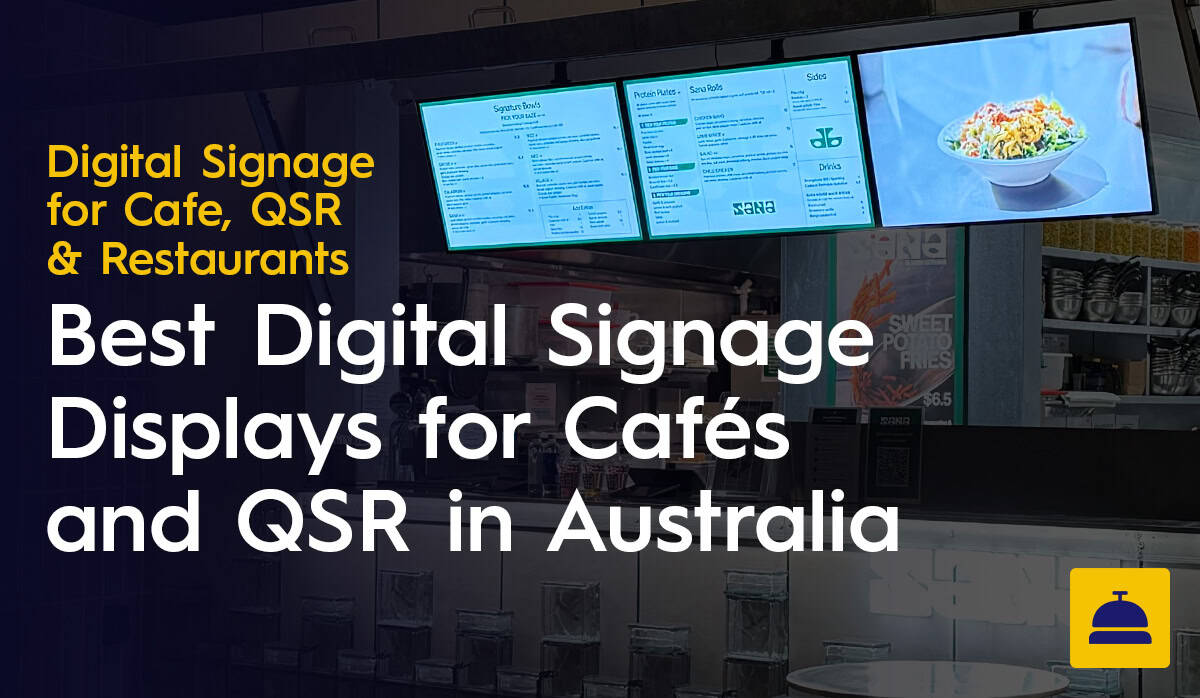
Choosing the right commercial display is one of the more consequential calls in a cafe or QSR fit-out. A screen that is too dim for your lighting, not rated for continuous operation or lacking a built-in media player will cause problems that are expensive to fix after installation. Specifying correctly from the start is worth the extra thought.
This guide covers what Australian cafe and QSR operators need to know before buying commercial digital signage displays in 2025. We break down which screen types suit which environments, which models to consider, what specs actually matter and the mistakes worth avoiding before you spend anything.
About this guide: Display Australia has been supplying and installing commercial digital signage displays for cafes and QSR venues across Australia for over a decade. The recommendations here are based on real installation experience across menu boards, ordering kiosks and drive-through environments. We supply Samsung and LG commercial displays, offer pre-configuration services before delivery and back our hardware with manufacturer warranty plus ongoing aftercare and support.
The first question most operators ask is whether a residential TV will do the job. It will not, and the reasons go beyond warranty terms.
Consumer televisions are built for four to six hours of daily home use. A digital menu board in a cafe or QSR typically runs ten to sixteen hours a day, and many venues run content around the clock. A residential TV under those conditions will overheat, degrade and fail early. The warranty will not apply either, because the manufacturer's terms exclude continuous commercial use.
Commercial displays are built for this. They are rated for 16 to 24 hours of daily operation, carry higher brightness ratings and come with warranties that actually cover how hospitality venues use them. The upfront cost difference is real. So is the gap in lifespan and reliability over three to five years.
Not every number on a product sheet is relevant to a hospitality environment. Here are the ones that affect real-world performance.
Brightness: A screen that looks vivid in a showroom can be washed out and unreadable in a well-lit cafe or near a window. For standard indoor installations, look for 400 to 500 nits minimum. For window-adjacent positions or high-ambient-light environments, 700 nits or above. For semi-outdoor or direct sunlight exposure, you need a specialist high-brightness display.
Built-in media player: Displays with a built-in system-on-chip eliminate the need for a separate media player. This simplifies installation, reduces cable clutter and removes one more thing that can fail during service. For most menu board applications, a built-in SoC is the sensible choice.
Operating hours rating: 16/7 means 16 hours a day, seven days a week. 24/7 covers continuous operation. If your venue runs content outside trading hours, specify a 24/7-rated display.
Orientation: If any screen will be mounted in portrait, confirm the display is rated for it and that the internal components handle heat dissipation in that position. Not all commercial displays do this equally well.
Screen size: For most cafe and QSR menu board applications, 43 to 55 inches covers the majority of installations. Choose based on your layout and viewing distance. The right size for your space is rarely the same as what looks most impressive in a spec sheet.
Counter positions with no direct sunlight exposure suit the Samsung QBC or LG UH5N. For positions near skylights or large windows, step up to the Samsung QMC or LG UH7N.

The Samsung QMC is the display to specify. If you have had screen washout issues in previous installations, ambient light is almost always the reason.
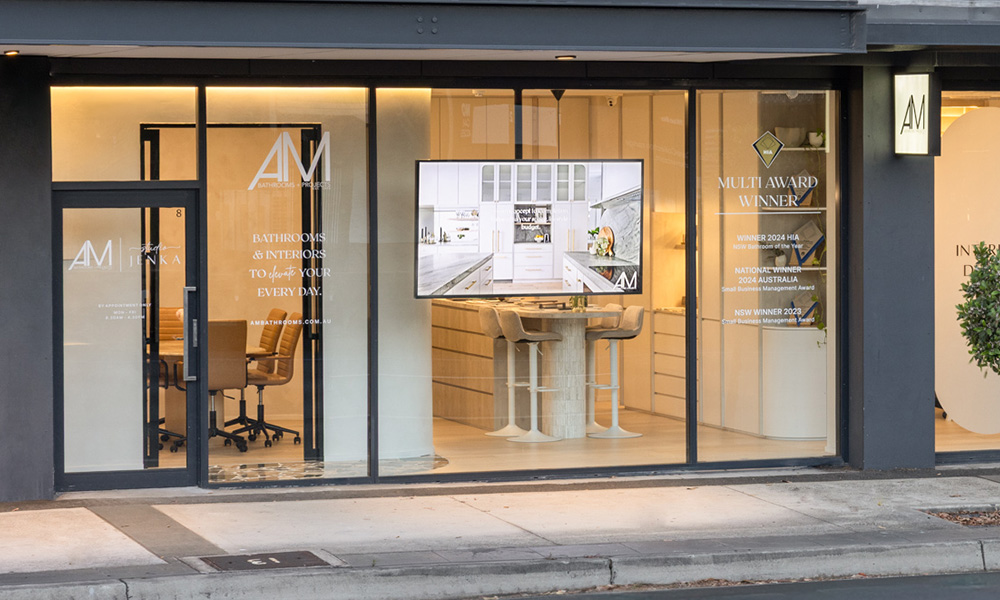
Natural light, temperature variation and weather exposure make standard indoor panels the wrong choice here. The Samsung QHC high-brightness series is the correct specification for drive-through menu boards.

Samsung QBC Series: Our most commonly installed display for standard indoor cafe and QSR applications. Built-in Tizen-based system-on-chip, 16/7 rated and available in a range of sizes suited to counter and wall installations.
Samsung QMC Series: Higher brightness than the QBC, making it the right call for venues where screens are near windows or in well-lit environments.
Samsung QHC Series: High-brightness display for environments where standard panels fall short. Suited to covered drive-through areas, window-facing installations and positions with direct or strong indirect sunlight.
LG UH5N Series: 24/7 rated, solid picture quality and commercial-grade build at a competitive price. A practical choice for venues that need continuous operation across extended hours.
LG UH7N Series: Improved brightness and an enhanced feature set over the UH5N. Well-suited to QSR venues with higher ambient light levels or operators who want more headroom without moving to specialist hardware.
A commercial display out of the box needs network setup, software registration, display settings calibration and sometimes firmware updates before it will perform properly. Managing all of that on-site during installation adds time, increases the chance of errors and can result in screens that behave differently across locations.
For multi-site operators, that inconsistency is a real operational headache.
Display Australia pre-configures displays before delivery. They arrive on-site already set up for your software, network and content requirements. Installation is faster, and there are fewer support calls afterwards.
- Check ambient light at each installation point at different times of day. That determines the brightness spec you need.
- Confirm your operating hours and specify a 24/7-rated display if content runs outside trading hours.
- If any screen will be in portrait, confirm the display handles it, including heat management.
- Plan cable concealment before installation day, not after.
- Ask whether displays arrive pre-configured or whether on-site setup is required.
- Confirm software compatibility with the signage platform you plan to use.
Specifying correctly from the start is worth the extra thought. It is genuinely cheaper than retrofitting the wrong display twelve months down the track.
No, and it is probably the most common hardware mistake we see. Consumer TVs are built for four to six hours of daily use in a living room. Run one for 12 to 16 hours a day in a hot, busy cafe and it will overheat, develop image burn-in and fail well before you expect it to. The manufacturer warranty will not cover it either, because continuous commercial use falls outside its terms.
Commercial displays are built with thermal management designed for 16 to 24 hours of operation and carry warranties that actually cover how hospitality venues use them. They cost more upfront. They also last significantly longer, which is what matters when you are mounting something above a counter and hoping not to think about it again for five years.
Nits are the unit of measurement for screen brightness. Too few and your menu will look washed out and hard to read, which defeats the purpose of having it.
For a standard indoor counter away from direct sunlight, 400 to 500 nits is generally enough. The Samsung QBC sits in this range. If your screens are near large windows or under skylights, you need to step up to 700 to 1,000 nits. The Samsung QMC is the right call for those positions. For screens facing the street through a storefront window, you are in a different category entirely and need specialist high-brightness displays in the 2,500 to 4,000 nit range. Standard commercial panels will not cut it in direct sunlight.
Not necessarily. Many commercial displays, including the Samsung QBC and LG UH5N, have a built-in System-on-Chip, which means the media player is built directly into the screen.
For most cafe menu board applications, this is the better setup. It removes the need for a separate playback device behind the counter, cuts down on cable clutter and removes one more thing that can go wrong during service. Fewer components, fewer problems.
It refers to how many hours a day the display is rated to run continuously. A 16/7 display handles 16 hours a day, seven days a week, which covers standard trading hours plus prep and cleanup for most cafes.
A 24/7 display, like the LG UH5N, has enhanced thermal components for non-stop operation. You only need to specify 24/7 if your venue runs around the clock, or if you plan to leave street-facing screens on overnight for promotional content or third-party advertising after closing. For a standard cafe with regular trading hours, 16/7 is fine.
Yes, but check the spec sheet before you plan your layout. Not every commercial display handles portrait mode well.
Because heat rises, turning a screen on its side changes how the internal components manage temperature. Consumer TVs and some entry-level commercial panels will overheat or suffer panel damage if mounted vertically. The spec sheet will tell you whether the display is rated for portrait use and has the thermal management to handle it. Worth confirming before you commit to a wall layout.
A commercial display is not plug-and-play out of the box. Network setup, signage software registration, screen calibration and firmware updates all need to happen before it will work properly in your venue.
If that all gets done on-site during installation, it adds hours to the job and introduces more room for error. Pre-configured displays arrive ready to mount and run, already connected to your content management platform. For multi-site operators, it also means every screen across every location is set up the same way, which avoids the kind of inconsistency that generates support calls for weeks afterwards.
