
Thinking about switching to digital menu boards? Here is what Australian cafés and QSR operators need to know about benefits, costs, software and hardware.
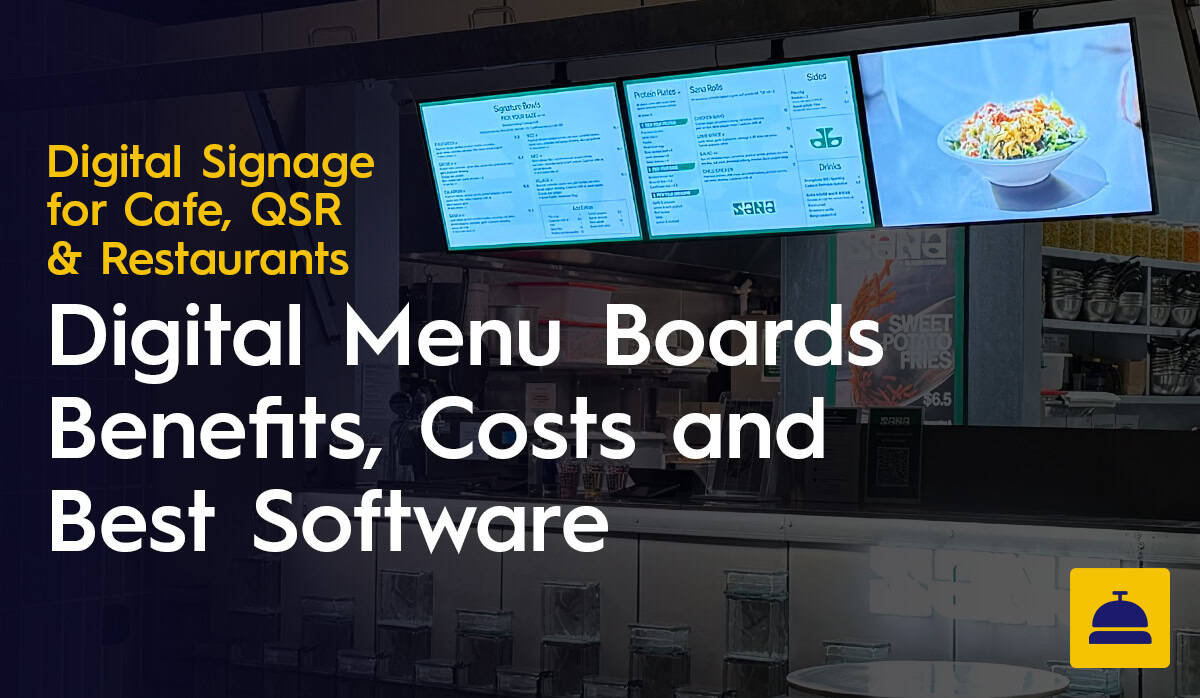
Printed menus had a good run. But if you are running a café or QSR in the modern era, they are working against you in ways that compound over time. Prices change. Specials rotate. The breakfast crowd wants something different from the lunch queue. Reprinting every time something shifts is either expensive or slow, and usually both.
Digital menu boards fix most of that. Here is what they are, why operators are switching, what they cost, and what to actually look for before you commit to anything.
A digital menu board is a commercial display screen, typically wall-mounted above or behind a service counter, running content managed through signage software. Instead of a static printed board, you get a screen you can update remotely, schedule in advance and configure to change automatically at different times of day.
Most setups have three components: the screen, a media player or built-in system-on-chip, and cloud-based software that controls what appears and when. Some commercial displays, including the Samsung QBC and QMC series, have the media player built directly into the screen. That matters for installation, because it removes the box behind the counter and one more cable run to manage.
The honest answer is that the combination of printing costs, admin time and manual update processes adds up to a real operational drag. Once you have run the numbers, the switch tends to make sense.
Day-parting is one of the clearest examples of why. Your breakfast menu can switch to lunch at 11am and to an afternoon specials board at 2pm, with no one touching a screen. For QSR venues running high volumes across multiple dayparts, automating that alone is worth the investment.
There is also the ACCC angle. Under Australian Consumer Law, customers must be charged the lower of any displayed price. Outdated pricing on a screen is a compliance issue, not just a nuisance. Digital boards let you update pricing across all locations immediately.
And digital screens do lift average order values. Motion, colour contrast and smart layout influence purchasing decisions before customers reach the counter. That is not marketing spin; it is just how attention works.
Costs break down into hardware, software and installation.

Consumer televisions are not built for continuous operation in a commercial environment. The warranty does not cover it, the brightness is often insufficient for a lit café or window-facing position, and the lifespan is shorter than you want from something mounted behind a counter. Commercial displays cost more upfront and are worth it.
The Samsung QBC and QMC series are the most common options we supply for café and QSR applications. Both have a built-in media player, so no separate device is needed. The QMC is the right choice for high-brightness environments, particularly anything window-facing. The QBC handles standard indoor installations well. The LG UH5N is another solid option if you want strong picture quality at a competitive price.
Screen sizes typically run from 43 to 75 inches. The right size depends on counter width, ceiling height and how far back the queue extends. Get in touch with the Display Australia team and we can advise based on your actual layout.
Software is priced per screen per month. Entry-level plans for a single screen are affordable enough that even a one or two-board café can justify it. Multi-site plans scale accordingly. We have left specific pricing out of this article because it changes and varies by arrangement. Contact us for current figures.
For a full breakdown of digital signage software options and their pricing, including free tiers and annual plan rates, see our platform comparison.
A straightforward single-screen installation is usually a half-day job. Larger fit-outs with multiple screens across a counter wall, or drive-through configurations, take more planning. The main variables are wall construction and whether cables need to be concealed. Display Australia handles supply and installation, and can quote based on your specific setup.
The short version: find something your staff can actually use without help. If updating a price or swapping an image requires technical knowledge or a support call, the software is going to cause problems rather than solve them.
Beyond ease of use, the things that matter most in a hospitality environment are scheduling (does day-parting work natively, not as a workaround?), remote management (can you update every screen across every site from one place?), and reliability (what is the support situation when something goes wrong during service?). Local support matters more than it might seem. A US-based helpdesk and a busy Australian café do not operate on the same clock.
Commercial grade is non-negotiable. Beyond that, brightness is the thing most people underestimate. A screen that looks fine in a showroom can be washed out in a well-lit café or near a window. For standard indoor use, look for 400 to 500 nits minimum. For window-facing or high-ambient-light positions, look at the Samsung QMC series specifically, which is designed for that environment.
Built-in media players simplify installation and reduce failure points. Portrait mode support matters if your counter layout calls for it. And screen size should be chosen based on your actual space, not what looks impressive in a spec sheet.
Buying consumer TVs to save money is probably the most common one. The savings disappear when the screen is not bright enough, the warranty does not apply and the lifespan is shorter than you planned for.
Choosing software that is too complex is the other one we see regularly. Some platforms are built for corporate environments and expect someone with technical confidence to manage them. If your team changes frequently or the platform requires ongoing training, it will become a burden.
Content design is also worth taking seriously. A digital screen running cluttered or poorly laid out content is not much better than a printed board. Simple, high-contrast layouts with clear names and prices outperform busy designs. And someone needs to own the ongoing responsibility for keeping menus current, particularly around pricing and seasonal changes.
Sana Mediterranean is a multi-site Australian QSR operator that switched to digital signage software across its locations. The results were straightforward.
Printing costs dropped to zero. Every price change, seasonal update or new promotional item that previously required a reprint, laminate and replacement is now handled through the software in minutes. Over the course of a year, that saving is not trivial.
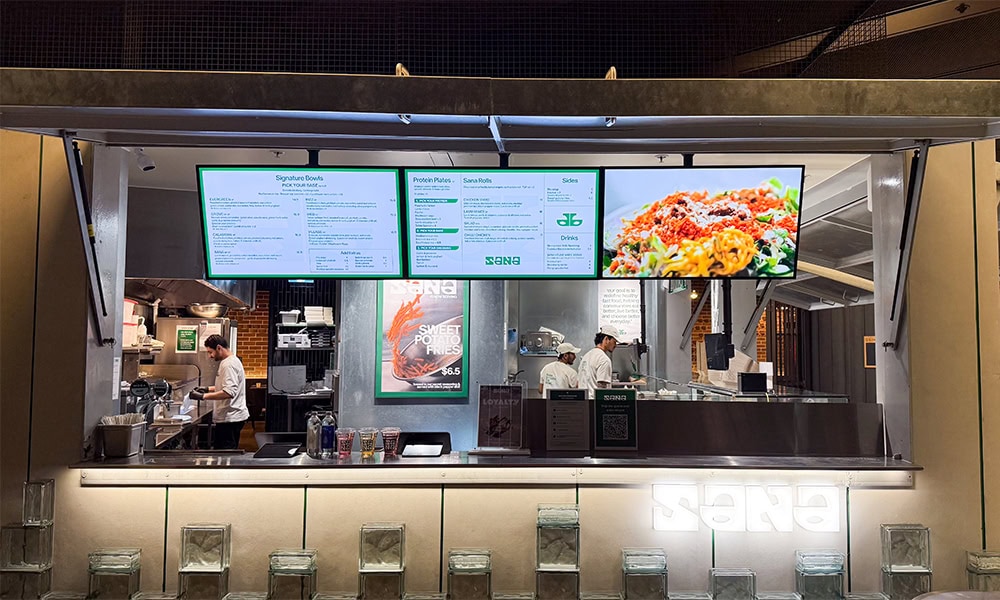
The bigger gain was time. Manual updates via USB drive meant someone physically visiting each screen at each site, loading the file and checking the result. That meant travel time, parking and hours of repetitive work each week. Sana Mediterranean now manages all its locations remotely from a single dashboard, saving around four hours a week with no travel required.
For a growing multi-site business, both of those savings compound. Four hours a week is over two hundred hours a year. Printing costs that were recurring are now gone entirely.
For most cafés and QSR operators, yes. The combination of eliminated print costs, recovered admin time, better upsell performance and pricing accuracy delivers a return that goes well beyond the upfront outlay.
For a single-site café with two or three screens, the maths is less dramatic but still real. Fewer reprints, faster updates and a more professional presentation to customers all add up.
Implementing digital signage for retail stores is a powerful way to modernise your brand and connect with customers. However, success lies in the planning. It requires choosing the right commercial hardware that can handle the environment, designing a layout that enhances the customer journey, and implementing a software system that makes management effortless.
From the high-brightness window displays at Bailey Nelson to the immersive video walls at ARB, the evidence is clear: when you invest in a proper system, you gain a dynamic communication tool that drives sales and elevates your in-store experience. Whether you are opening your first store or your fiftieth, taking the time to plan your rollout strategy will ensure your screens are an asset, not an afterthought.
The total breaks down into hardware, software and installation. A commercial-grade solution typically runs from $1,000 to $2,000 or more per screen depending on the display you choose. Software is a monthly subscription per screen, generally $8 to $30 or more depending on the platform and features.
The case for the investment is straightforward: printing costs disappear and the admin time spent on manual updates comes back. For operators reprinting menus regularly or managing multiple locations, that adds up faster than most expect.
Consumer screens are not built to run 12 or more hours a day in a kitchen-adjacent environment with heat and grease. Using them commercially voids the warranty. That is before you get to the brightness problem.
Most consumer TVs do not have enough nits to be readable in a well-lit café or near a window. Commercial displays like the Samsung QBC and QMC are built for that environment, with 400 to 500 nits or more as standard. They also have a built-in media player, so there is no separate box behind the counter and no extra cables to manage.
No. Decent digital signage software includes automated scheduling. You set your breakfast menu to switch to lunch at 11am and afternoon specials at 2pm, and it happens without anyone touching anything. Useful on a busy morning when the last thing your team needs is another manual task.
The screens keep running. Digital signage systems cache content locally, which means the media player stores the current version of your menu on the device itself. A lost connection does not blank the screens. It just means you cannot push new updates until the connection is restored, which for most cafés is not a problem.
Under Australian Consumer Law, if a business displays multiple prices for the same item, it must charge the lower one. In a busy QSR, a printed menu that has not been updated or a promotional poster left up past its end date is not just untidy. It is a compliance liability.
Digital boards let you update pricing immediately across every screen. The price on the board matches the price at the register, which is what the law requires and what customers reasonably expect.
Yes. Cloud-based signage software is built for this. From a single dashboard, you can update every screen across all your locations without leaving your desk or driving anywhere.
It is how operators like Sana Mediterranean cut out the USB-drive run entirely. Head office can push a promotion across every site at once, while individual locations keep the ability to manage their own specials. Both things work at the same time.
