
Avoid the most common and costly digital signage mistakes. From buying the wrong displays to ignoring brightness ratings.
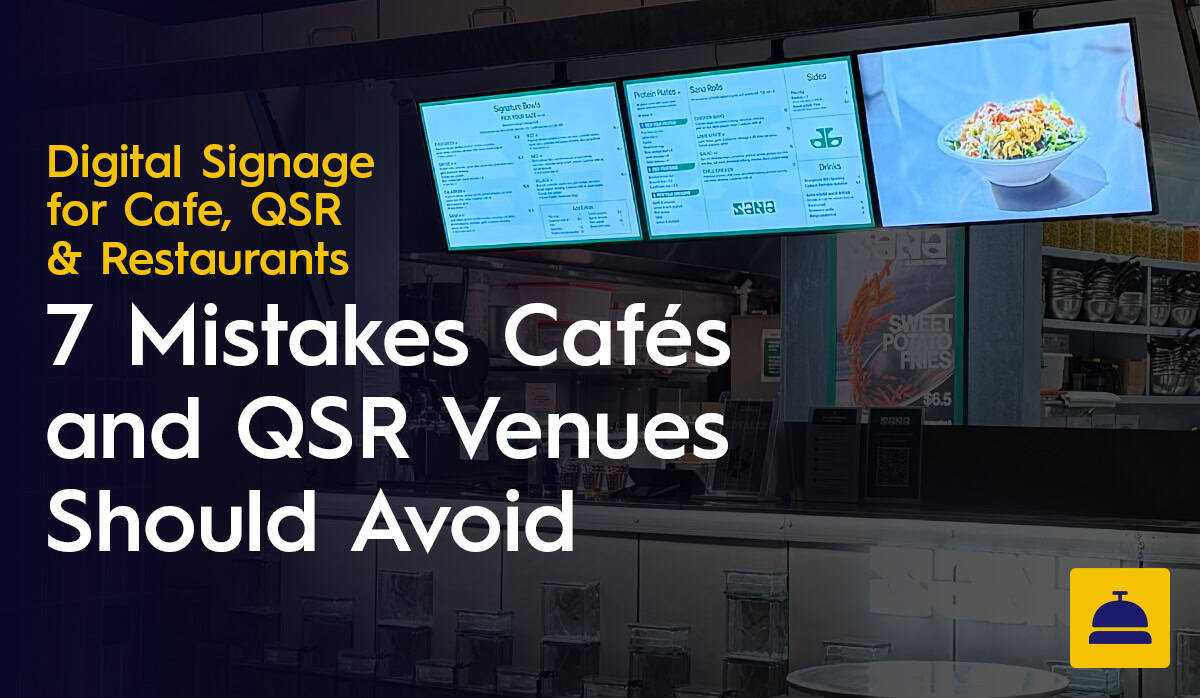
Digital signage done well is one of the most effective operational and commercial investments a cafe or QSR venue can make. Digital signage done badly is an expensive lesson in the difference between good advice and no advice.
After more than a decade of supplying and installing digital signage for hospitality venues across Australia, Display Australia has seen the same mistakes come up repeatedly. Some are easily fixed. Others result in screens being replaced far earlier than they should be. This article covers the most common and costly errors and how to avoid them
This is the most common mistake and the most expensive to fix. A residential TV purchased from a consumer electronics retailer looks identical to a commercial display in a showroom. In a cafe or QSR environment running ten to sixteen hours a day, the difference becomes apparent quickly.
Consumer TVs are designed for four to six hours of daily use in a home environment. Under commercial operating conditions they overheat, develop image degradation and fail significantly ahead of schedule. The manufacturer warranty does not apply because continuous commercial use falls outside its terms, which means the replacement cost falls entirely on the operator.
The right choice is a commercial-grade display from Samsung or LG rated for 16/7 or 24/7 operation. The upfront cost difference is real but the total cost of ownership over three to five years makes commercial displays the more economical choice, not the more expensive one.
Buying the wrong brightness specification is one of the most avoidable mistakes in digital signage, and one of the most common. A screen that performs well in a dimly lit showroom can be completely washed out and unreadable in a well-lit cafe or near natural light.
For standard indoor cafe and QSR counter positions, a minimum of 400 to 500 nits is required. For screen positions near windows, skylights or in high-ambient-light environments, 700 nits or above is appropriate. For semi-outdoor or drive-through applications, a specialist high-brightness display such as the Samsung QHC series is required.
The most expensive version of this mistake is installing standard indoor panels in window-facing positions, discovering they are unreadable in daylight and having to replace them with correctly specified high-brightness displays. Assessing the ambient light conditions at each installation point before specifying hardware is not optional; it is the first step in a sound specification process.
Choosing the right displays is only half the equation. The other half is making sure they are configured correctly before they go on the wall. This is where a significant number of operators run into preventable problems.
A commercial display out of the box requires network setup, software registration, display settings calibration and in some cases firmware updates before it will perform as intended. When this process is rushed or skipped on-site during installation, the result is screens that behave inconsistently, content that does not display correctly or connectivity issues that generate ongoing support calls.
Display Australia offers pre-configuration services for all hardware we supply. Screens arrive on-site already set up for your software, network and content requirements. The most expensive version of not following this advice is discovering configuration errors after installation across multiple locations, where remediation means revisiting every site.
Some digital signage platforms are built for IT departments managing corporate communication screens across office buildings. They are feature-rich, configurable and genuinely complex to use. For a cafe or QSR where content updates need to be made by a shift manager between the breakfast and lunch rush, that complexity is a liability.
When software is difficult to use, content stops getting updated. Menus become stale, promotions run past their end date and the operational benefits of digital signage erode. The right software for a hospitality environment is one that any member of the team can use confidently with minimal training.
Ease of use is not a secondary consideration when evaluating signage software. It is a primary one, particularly for operators with high staff turnover or venues where multiple people share responsibility for content management.
A commercial display running poorly designed content is not much more effective than a printed board. Digital signage creates the opportunity for great presentation but does not guarantee it. Content design mistakes are common and have a direct impact on how effectively screens drive customer behaviour.
The most frequent content design errors include: too much text on screen making menus difficult to read quickly, low-contrast colour choices that reduce legibility under venue lighting, inconsistent typography that makes the menu feel cluttered and the absence of food photography that would otherwise draw attention to high-margin items.
Simple, high-contrast layouts with a logical visual hierarchy, clear pricing and strong imagery of signature items consistently outperform busy, text-heavy designs. If you are using a designer to create your screen content, brief them on the viewing conditions and the decision-making context the customer is in when they read the screen.
Visible cables behind a service counter undermine the visual upgrade that digital signage is supposed to deliver. This is a straightforward problem to avoid and a costly one to fix after the fact.
Planning for concealed cable runs, whether through the wall, along conduit or behind joinery, needs to happen at the design stage before installation day. Once screens are mounted and the venue is trading, retrofitting cable management involves disruption to the service area, additional labour costs and in some cases damage to finished surfaces.
Digital signage that is set up correctly and then never updated is a missed opportunity. The operational and commercial value of digital menu boards comes from their ability to be current, responsive and promotional. Screens running the same content for months communicate the same message as a laminated board: that the venue is not actively managing its customer experience.
Assigning clear ownership of content management within your team, establishing a content calendar for seasonal and promotional updates and building simple workflows for day-to-day changes ensures that your screens continue to work as hard as they should.
Consumer TVs are designed for four to six hours of daily use at home. A café or QSR running screens for ten to sixteen hours a day will find them overheating, degrading and failing well ahead of schedule. The manufacturer's warranty will not cover it because continuous commercial use falls outside its terms, so the full replacement cost falls on the operator. Commercial displays rated for 16/7 or 24/7 operation cost more upfront and work out cheaper over three to five years.
Check the ambient light conditions at each installation point before specifying anything. For standard indoor counter positions with typical café lighting, 400 to 500 nits is the minimum. For positions near windows, skylights or in high-ambient-light environments, 700 nits or above. Drive-through and semi-outdoor applications need a specialist high-brightness display like the Samsung QHC series. Putting standard indoor panels in window-facing positions is one of the more expensive mistakes to fix because it usually means replacing the screens entirely.
A commercial display out of the box needs network setup, software registration, display settings calibration and sometimes firmware updates before it will work properly. When this gets rushed or skipped during on-site installation, the result is screens that behave inconsistently, content that does not display correctly or connectivity issues that generate ongoing support calls. Display Australia pre-configures all hardware before delivery so screens arrive ready to run content from day one.
Ease of use matters more than feature count. If the software is hard to use, content stops getting updated: menus go stale, promotions run past their end date and the operational benefits of digital signage disappear. The right platform for a hospitality environment is one that any team member can use confidently with minimal training. That matters particularly for operators with high staff turnover or venues where multiple people share responsibility for content. Display Australia recommends Fusion Signage specifically because of its accessible interface.
Too much text is the most frequent one. Menus that try to say everything become difficult to read quickly, which is the opposite of what a menu board should do. Low-contrast colour choices reduce legibility under venue lighting. Inconsistent typography makes the layout feel cluttered. And the absence of food photography means high-margin items get no more attention than anything else on the board. Simple, high-contrast layouts with large, readable text and strong imagery of signature items consistently outperform busy designs. When briefing a designer, be clear about the viewing conditions: customers reading from several metres away while standing in a queue.
Visible cables behind a service counter undermine the visual upgrade that digital signage is supposed to deliver. Concealed cable runs need to be planned at the design stage, before installation day. Once screens are mounted and the venue is trading, retrofitting cable management means disruption to the service area, additional labour and sometimes damage to finished surfaces. It is straightforward to sort out in advance and genuinely disruptive to fix afterwards.
At minimum, content should be reviewed for each seasonal menu change, each promotional period and whenever pricing or availability changes. Screens running the same content for months send the same message as a laminated board. Assign clear ownership of content management within your team, build a content calendar for seasonal and promotional updates and set up simple workflows for day-to-day changes. The ongoing investment in digital signage is only worthwhile if the content is actually being managed.
